You ask for one change and the agent updates one file — missing the twelve others that touch it.
Know your stack before you change it.
A static connection graph of your components, services, databases, and queues that answers "what breaks if I touch this?" before you touch it.
claude plugin install navgator@rosslabs-ai-toolkit Free · npm install -g @tyroneross/navgator · no account
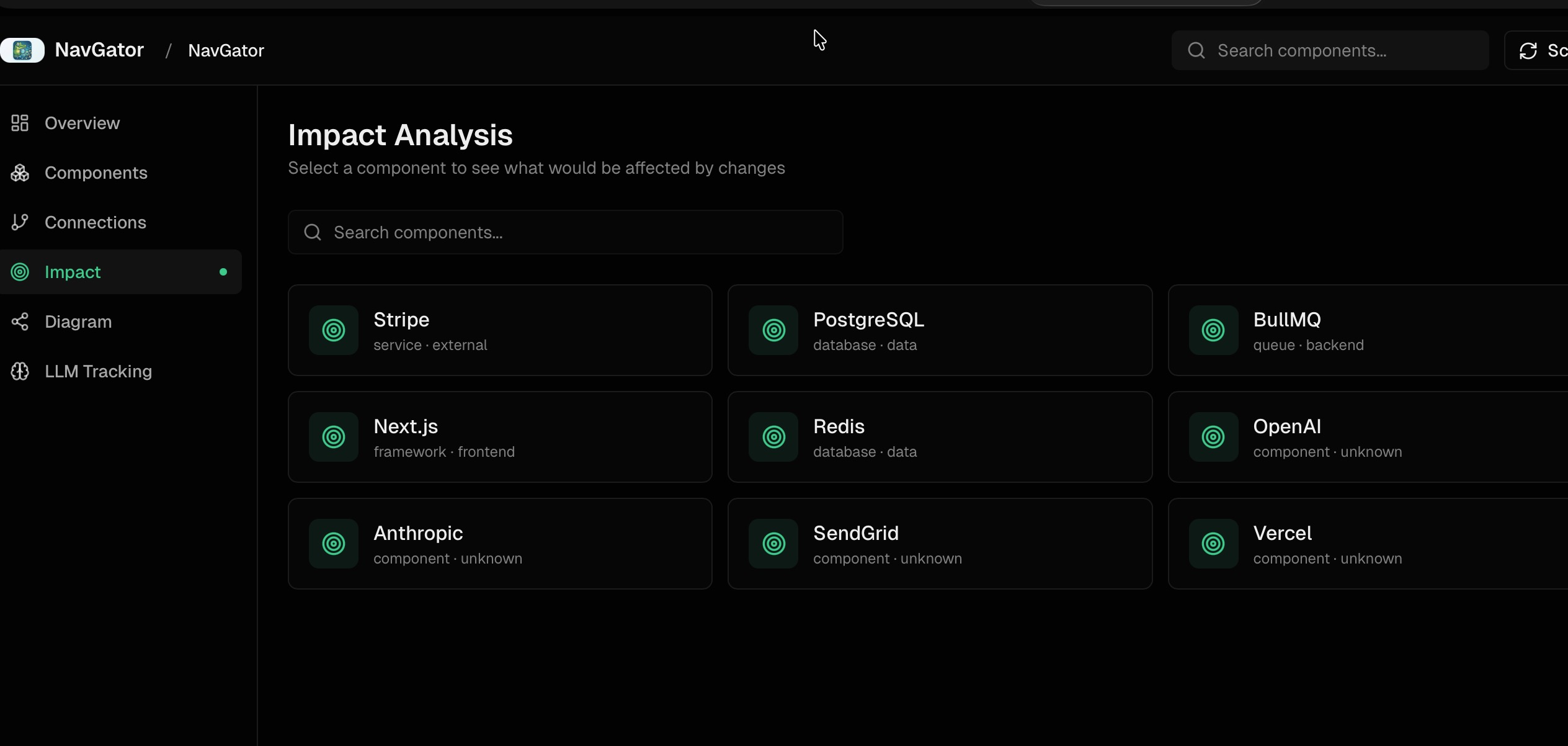
See what breaks before you touch it
`navgator impact "<thing>"` returns every file that imports, calls, references, or types against a component, with `file:line` so each connection is verifiable. A Stripe SDK bump might surface 47 affected files — pre-change that's a checklist, post-change the same query verifies nothing was missed.
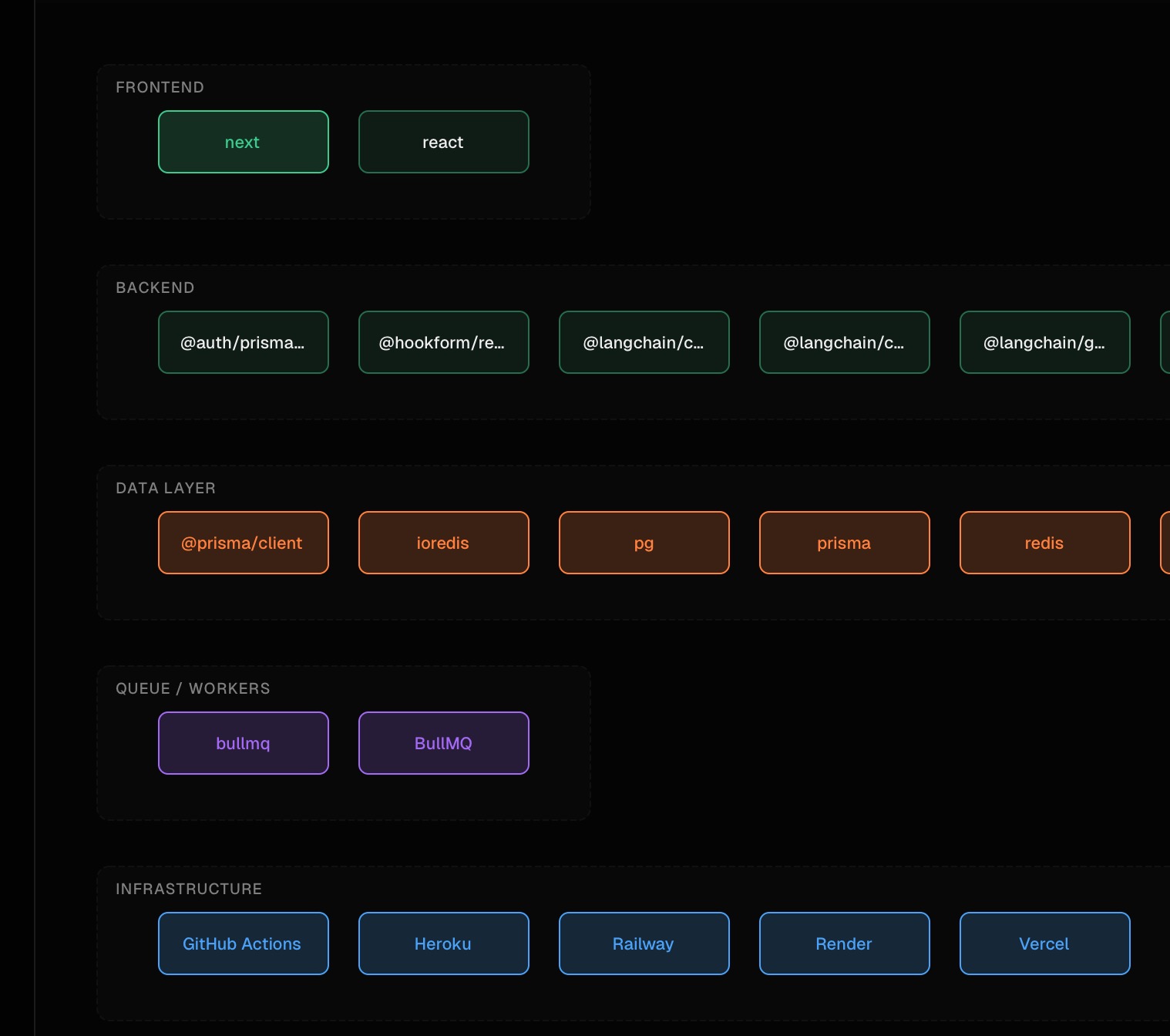
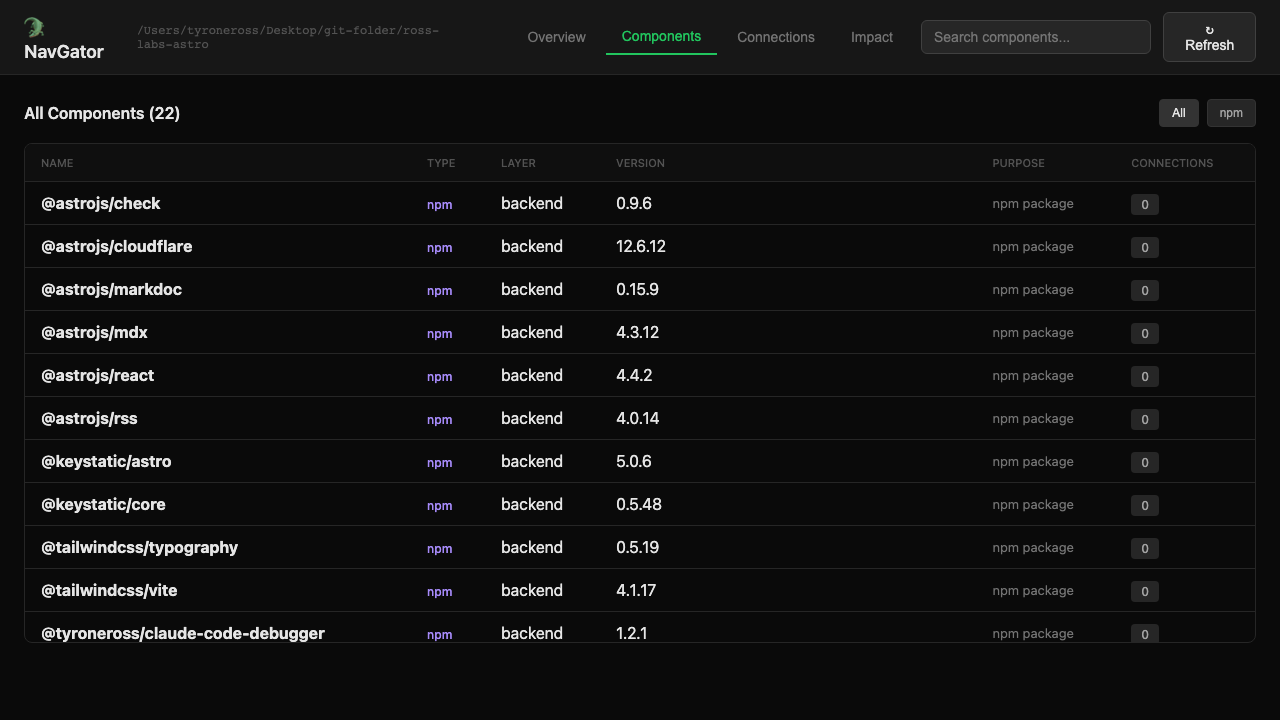
Every package, service, and layer, tracked automatically
Two scan phases keep the tradeoff honest — a sub-second bootstrap reads package.json and lockfiles for the stack, then an optional deep pass (static analysis, or AST via ts-morph) finds service calls, DB ops, prompts, and typed signatures. Both are pure file reads; NavGator scans codebases that don't even build.
The graph never goes stale without telling you
A non-blocking hook marks files dirty as the agent edits them. A background drainer coalesces those edits, holds a single-writer scan lock, and rescans only the changed surface. Every read checks a freshness stamp first, so the answer reflects the repo as it stands, not as it stood at the last manual scan.
154 import sites, 8 real use cases
Counting raw import statements is the wrong number — one project showed 154 "LLM connections" that collapsed to 8 distinct use cases once test files, re-imports, and dead code were filtered out. NavGator groups call sites by purpose, so the headline is the number you'd actually govern.
- No execution, ever — both scan phases are static analysis, so it never runs your code
- Not live monitoring — doesn't poll services, hit health endpoints, or query metrics APIs
- Hooks disabled by default — nothing runs automatically until you run a scan yourself
What does it actually track?
Components (npm/pip packages, frameworks, databases, queues, infrastructure, services) and the connections between them — API→database, frontend→API, queue→handler, service calls — built entirely from static file reads.
Does it work on a codebase that doesn't build?
Yes. Both scan phases are static analysis with no execution, so a broken build or a runtime crash in your app never breaks a scan.
How does it stay current as I code?
A non-blocking hook marks edited files dirty, a background drainer rescans only the changed surface, and every read checks a freshness stamp before answering — no manual re-scan loop required.
Does it only work in Claude Code?
It installs as a global npm CLI first. Claude Code gets slash commands, hooks, and an agent; Codex gets its own additive plugin surface (skills, MCP tools) side by side.
I kept watching coding agents update one file and miss the twelve others that touched it — a schema change with a migration but no updated API routes, a package bump that missed a webhook handler three files away. Every “it’s fixed” was a guess dressed up as confidence.
NavGator is the map I wanted before handing an agent a change: scan the repo, build a typed connection graph, and answer “what breaks if I touch this?” with file:line evidence instead of vibes. It stays static — no execution, no polling live services — so it works on code that doesn’t even build, and a background drainer keeps the graph honest as files change without me remembering to re-scan.
claude plugin install navgator@rosslabs-ai-toolkit Free · npm install -g @tyroneross/navgator · no account