Secrets Vault
Native macOS secrets manager. AES-256-GCM, Touch ID unlock, loopback API. Lets CLIs and agents inject values without ever seeing them.
The Problem
Every coding agent eventually wants secrets — API keys, OAuth tokens, signing certs. The default options are bad:
.envfiles — plaintext, get committed by accident, leak via screenshots and shoulder surfing- System keychain — solid storage, but apps and CLIs have to be individually authorized and most agent frameworks do not bother
- Cloud password managers — great for humans, awkward for headless agents, and the values still hit clipboards and screen-readable surfaces
- Pasting into chat — the worst option, and the one that happens most often
What I wanted: a local vault that an AI agent can use without ever seeing. The agent should be able to list secrets, ask for one to be injected into a specific file, get audit-logged feedback that the operation happened — but never receive the value as text in its context window.
What I Built
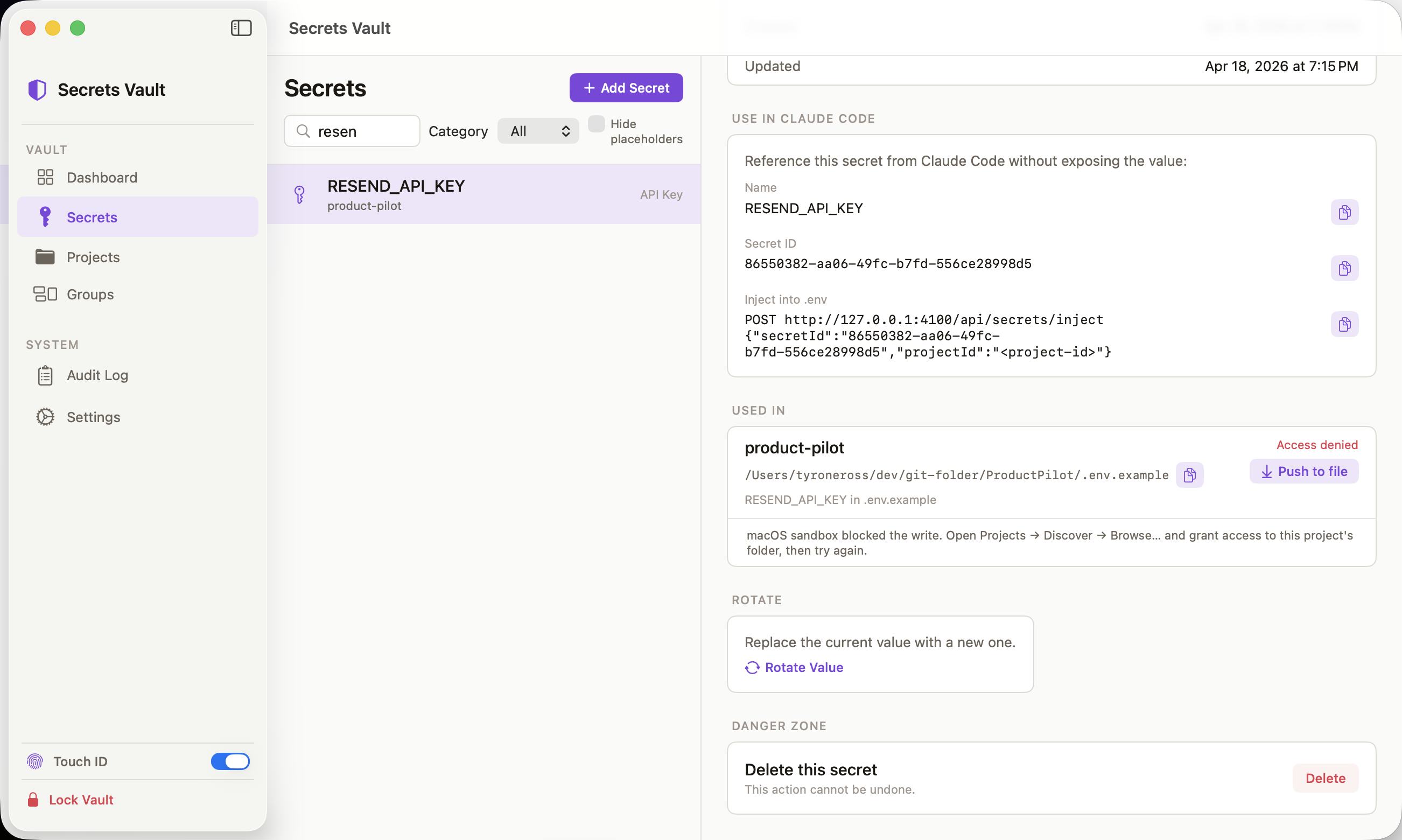
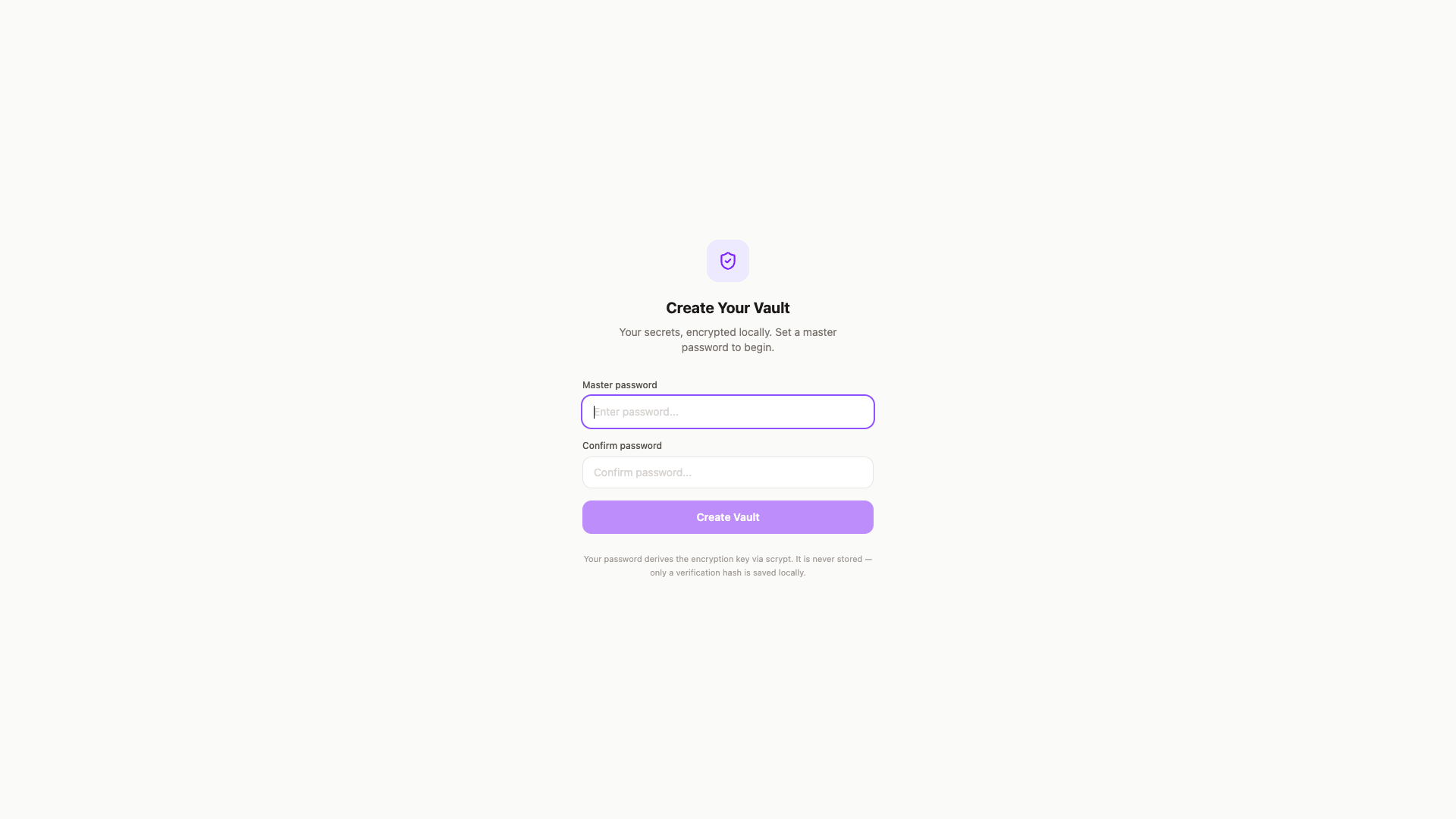
A native macOS app with a loopback HTTP API and a CLI / SDK / MCP triad on top of it. Setup is a master password (used to derive the encryption key — PBKDF2-SHA256 at 600k iterations in the native app) and an optional Touch ID enrollment for unlock. The password is never stored — only a verification hash.
Architecture
Secrets Vault runs two implementations of one API — a native Swift server for the desktop app and a TypeScript/Express daemon for CI — against a shared SQLite datastore and a shared regex pattern set, so a secret ID means the same thing and a leak looks the same regardless of which backend answered the request.
flowchart LR
  A["Master password (setup)<br/>or Touch ID (unlock)"] --> B["Key derivation<br/>PBKDF2-SHA256 600k (native, CommonCrypto)<br/>scrypt N=2^15 r=8 p=1 (JS daemon)"]
  B --> C["Key in memory only<br/>zeroed on lock / 30-min idle"]
  C --> D["AES-256-GCM encrypt<br/>CryptoKit (native) / node:crypto (daemon)"]
  D --> E[("SQLite vault.db<br/>encrypted blobs only")]
  F["CLI / SDK / vault-capture MCP"] -->|bearer token| G["Loopback API :4100<br/>NWListener (Swift) or Express (Node)"]
  G -->|decrypt| E
  G -->|metadata only| F
  G -->|inject| H[".env file on disk<br/>path-validated"]
  G --> I[("Audit log (SQLite)<br/>op + secret ID + timestamp, never the value")]
  J["~/.claude/projects/*.jsonl"] -->|read-only, regex scan| K["Transcript audit<br/>SHA-256 hash, metadata-only by default"]
  K --> I
Models: none. Secrets Vault has no LLM or model of any kind in its request path. Live secret capture and the transcript audit both run the same deterministic regex set (SECRET_PATTERNS in src/server/services/secret-patterns.ts, ported line-for-line into Swift so both detectors agree) — pattern-match against known key shapes (sk-ant-…, sk-proj-…, ghp_…, PEM blocks, JWTs, a keyword-gated generic high-entropy fallback), no inference call. That’s deliberate for a security tool: detection has to be reproducible and fully offline, and a secret value can never be the thing sent to a model to classify it.
Encryption — two key-derivation functions, not one. The native SwiftUI app (KeyDerivation.swift) derives the encryption key with PBKDF2-SHA256 at 600,000 iterations via CommonCrypto — this is what ships in the canonical desktop build and what the README documents. The headless JS/TS daemon (src/server/crypto.ts) instead uses scrypt (N=2¹⁵, r=8, p=1) via Node’s built-in crypto. Both produce a 32-byte AES-256-GCM key and neither persists the password or the key — only an HMAC-SHA256 verification hash is stored — but the two backends use different KDFs, a real divergence rather than one algorithm described two ways.
In-process HTTP server — two implementations of the same route surface. The native app uses Network.framework’s NWListener bound to 127.0.0.1:4100, loopback-only via NWParameters.acceptLocalOnly; the headless daemon uses Express 5 on the same port for CI and password-only automation where the native app can’t run. Both apply origin and x-vault-client header checks on every state-changing request. scripts/parity-check.mjs swaps the two backends live and asserts their audit-transcripts counts match within ±2 (tolerance for in-flight transcript writes), so drift between the Swift router and the JS daemon gets caught rather than assumed away.
Storage — SQLite at ~/Library/Application Support/com.secretsvault.app/vault-data/vault.db, accessed via the raw SQLite3 C API on native (SQLiteDatabase.swift) and better-sqlite3 on the JS daemon. Encrypted blobs only. An append-only audit table records every access — the table never holds secret values, only the operation, ID, timestamp, and client. Single-file, no server process, no network dependency — consistent with the app’s sandboxed, no-outbound-network entitlement.
Auth — Touch ID via LAContext and the biometric Keychain (requires real Apple Developer signing + Team ID + a keychain-access-groups entitlement — not ad-hoc-signable). Master password is the fallback. Platform passkey support is wired but waiting on a real webcredentials: associated domain.
How it works
- Setup. First run collects a master password; the native app derives the encryption key with PBKDF2-SHA256 (600k iterations, CommonCrypto) over a random 32-byte salt and persists only an HMAC-SHA256 verification hash — never the password or the key.
- Unlock. Touch ID (
LAContext) or the master password re-derives the same key. It lives only in the in-app session’s memory and is zeroed on lock or after 30 minutes idle. - Encrypt and store. A new secret’s plaintext is sealed with AES-256-GCM (CryptoKit, with the secret ID as AAD binding ciphertext to that specific row) and the ciphertext + IV + auth tag land in SQLite. Nothing plaintext ever touches disk.
- Serve. The unlocked app — or the headless Express daemon when the app can’t run — exposes the API over loopback-only
127.0.0.1:4100, rejecting non-local origins and requests missing thex-vault-clientheader. - Authenticate clients.
vault unlock(CLI), the SDK, or thevault-captureMCP server exchange Touch ID / password for a short-lived bearer token, cached at~/.secrets-vault/session. The token maps to the in-memory session — it is not, and does not derive, the encryption key. - Read. MCP and capture endpoints decrypt server-side and return metadata only (ID, name, last-used timestamp).
vault get <id> --valueis the one call path that returns the raw value, and only to the local CLI/SDK caller — never to an MCP tool result an agent can see. - Inject. An agent-initiated
injectcall decrypts the value and writes it directly to a path-validated.envfile inside the target project directory. The response to the agent confirms the write happened; the value itself never crosses into agent context. - Audit. Every decrypt is logged to an append-only SQLite table — operation, secret ID, timestamp, client — before the value is returned or written. The table never stores the value.
- Transcript audit (parallel path). A separate, read-only scan of
~/.claude/projects/*/*.jsonlruns the same regex pattern set (shared TS/Swift source) against past agent transcripts, hashes any hit with SHA-256, and records metadata only unless--store-valuesis passed for rotation.
Tech stack
SwiftUI (native macOS app, canonical build) + CryptoKit (AES-256-GCM) + CommonCrypto (PBKDF2-SHA256 key derivation) + Network.framework NWListener (loopback HTTP server) + SQLite3 (native datastore) + LAContext / biometric Keychain (Touch ID). Headless parity path: TypeScript + Express 5 + better-sqlite3 + Node crypto scrypt, in src/server. MCP: JSON-RPC 2.0 over stdio, two servers (src/mcp/server.ts for the vault itself, plugins/vault-capture/mcp/server.mjs exposing 8 tools — capture, scan-env, list-secrets, list-projects, inject, audit-transcripts, list-pending-rotations, resolve-rotation). SwiftPM for packages/swift/VaultKeychainKit and a standalone tests/Package.swift that symlinks the crypto/session source for unit testing without duplication. No LLM, no cloud service, no queue, no vector store — sandboxed with the loopback-server entitlement only, no outbound-network entitlement.
CLI, SDK, MCP
The app exposes one HTTP API; three clients consume it:
vaultCLI (packages/cli) —vault unlock,list,get <id> --value,create,inject.unlockdefaults to Touch ID against the native app, caches a bearer token at~/.secrets-vault/session. Native-app unlock refreshes the CLI session file so the CLI and MCP pick up the new bearer without re-prompting.- JS SDK (
packages/sdk) — same API, programmatic. CLI + SDK wired for external publish via GitHub Packages. vault-captureMCP plugin (plugins/vault-capture/) — Claude Code / Codex MCP server. Picks up the bearer token in this order:$VAULT_CAPTURE_TOKEN→~/.config/vault-capture/token→ the CLI’s session. Onevault unlockcovers MCP, CLI, and SDK.
VaultKeychainKit — Drop-in for Swift Apps
A SwiftPM package at packages/swift/VaultKeychainKit/ lets Swift apps the user writes route their KeychainHelper.read / write / delete(account:) call sites through the vault, with an opt-in local-Keychain cache for offline. Opt-in only — no Keychain federation; an app explicitly adopts. The scan-xcode tool flags Xcode projects whose Keychain call sites would benefit, and live integration tests run against a real vault. Adoption guide: docs/vault-keychain-kit.md.
Transcript Audit
A discoverer for leaked credentials sitting in coding-agent transcripts. The audit opens ~/.claude/projects/*/*.jsonl read-only and stores metadata only by default: kind, ≤12-char preview, SHA-256 hash, first/last-seen, project link. The leaked value itself is never persisted. Pass --store-values only when you need to re-use the leaked value for rotation. Same detector implemented in TypeScript and Swift sharing one regex source; surfaced in the app’s Discovered tab and via three MCP tools added to vault-capture.
The Agent-Safe Path
The MCP and capture endpoints return metadata only — ID, name, last-used timestamp, never the value. When an agent needs a secret in a file, it calls inject, which writes the value directly to a path-validated .env file on disk. The value never enters the agent’s context, never gets logged, never appears in transcripts. The audit log shows the agent asked for it; the agent itself never knew it.
Security Posture
- Secret values never appear in error messages or logs
- Derived encryption key never touches disk
- Every value access flows decrypt → audit-log → return
- Loopback-only; no network surface
- Bearer-token sessions, zeroed on lock or idle
- The app uses
NSWindowSharingNoneso screen-recording tools and screenshots return blank windows for the vault UI itself - Pre-commit git-leak hook + scan-secrets hook with direct-capture for high-confidence patterns
- Rotation reminder plist + endpoint + check script for high-risk credentials
Lessons
-
Loopback HTTP over a Unix domain socket. The API has to serve a Swift CLI, a JS SDK, an MCP server, and a TypeScript/Express headless daemon that mirrors the Swift router’s behavior for CI. A Unix socket would mean hand-rolling framing and a client library per language; HTTP on
127.0.0.1:4100lets every client use standard, off-the-shelf HTTP tooling and lets the headless daemon expose an identical route surface. The tradeoff is that access control has to be enforced explicitly — origin andx-vault-clientheader checks on every state-changing request — rather than inherited for free from filesystem permissions the way a socket would give it. -
Master password over biometric-only unlock. Touch ID via
LAContextneeds real Apple Developer signing, a Team ID, and akeychain-access-groupsentitlement — none of which are available in an ad-hoc-signed build. Making the master password (scrypt-derived key, only a verification hash persisted) the required setup step, with Touch ID as an optional enrollment on top, keeps the vault unlockable in dev and CI builds where the biometric entitlement isn’t there, rather than making biometric auth a hard dependency. -
Write-to-file over return-to-context for
inject. The MCP and capture endpoints return metadata only — ID, name, last-used timestamp. Returning the actual value frominjectwould put it straight into the calling agent’s context window and transcript, which is the exact leak path the Transcript Audit feature exists to catch. Insteadinjectwrites the value directly to a path-validated.envfile on disk, and the agent only sees that the write happened, via the audit log.