Back to projects
Active Started Nov 2025

NavGator

Architecture connection tracker that maps your stack before you change it.

TypeScript Commander ts-morph Glob

Install

claude plugin marketplace add tyroneross/RossLabs-AI-Toolkit
claude plugin install navgator@rosslabs-ai-toolkit

The Problem

AI coding assistants make changes without full context of how components connect. You ask for a database schema change and the migration file gets updated, while the 12 API routes that query the table, the 3 background jobs that write to it, and the dashboard that aggregates it do not. Modern apps are connection graphs, not isolated modules. Without a map, you are navigating architecture blindfolded.

What I Built

NavGator scans a codebase, builds a typed connection graph, and answers “what breaks if I change this?” before you change it. It also annotates each component with the runtime identity it ships under (service name, queue, endpoint, deploy target) so a runtime failure can be traced back to the code that produced it.

Impact Analysis Leads

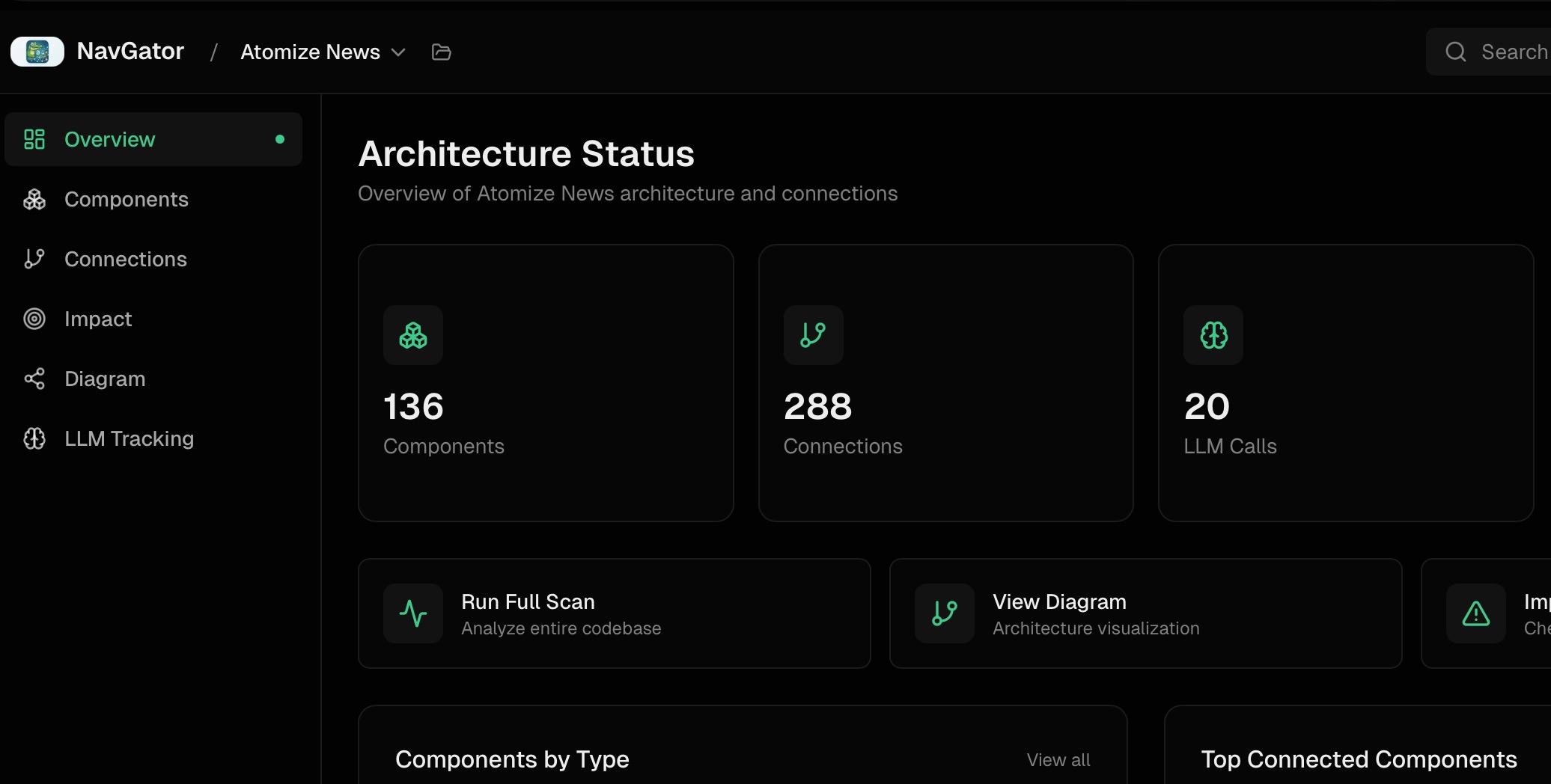
NavGator web dashboard showing Architecture Status with 136 components, 288 connections, and 20 LLM calls tracked ::border

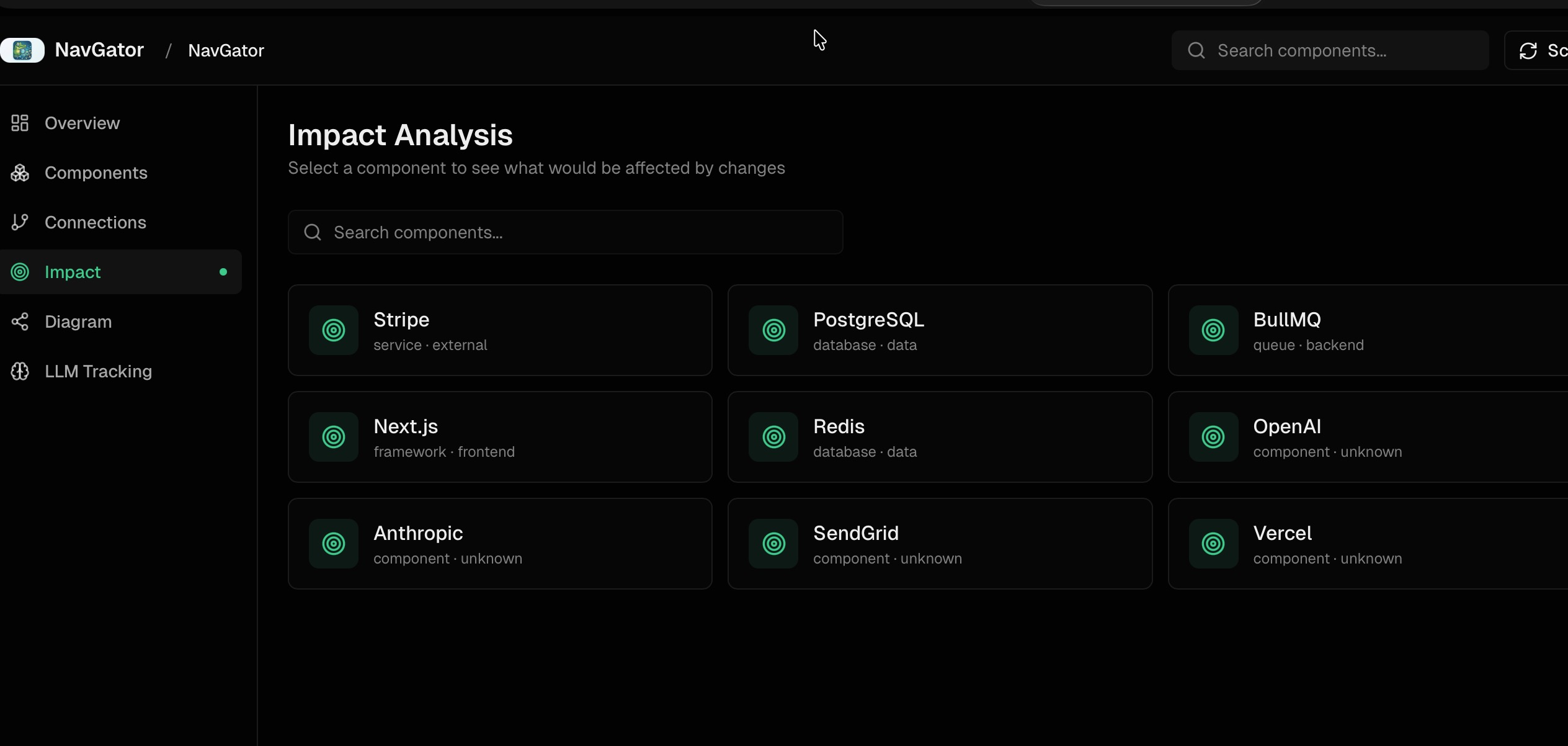
The core command is navgator impact "<thing>". It returns every file that imports, calls, references, or types against the named component, with file:line so each connection is verifiable. Migrating from Stripe SDK v11 to v12 might surface 47 affected files split across API routes, components, webhook handlers, utilities, jobs, and a CLI script. Pre-change, that is a checklist. Post-change, the same query verifies nothing was missed.

Impact analysis view with component cards for selecting what to analyze

How Scanning Works

Two phases keep the tradeoff honest:

PhaseSourceTimeWhat it finds
1 — Bootstrappackage.json, lockfiles, requirements.txt< 1sStack: frameworks, databases, queues, providers
2 — DeepStatic analysis + AST (optional ts-morph)5–30sService calls, DB ops, prompts, typed signatures

Both phases are pure file reads, no execution. NavGator scans broken codebases that won’t build. SHA-256 hashing makes subsequent scans incremental — only changed files re-analyze, and deletions remove their connections automatically.

Freshness Pipeline

A graph that goes stale silently is worse than no graph. The freshness layer keeps the answer honest without forcing a manual re-scan loop:

  • Dirty-set ledger — append-only, atomic writes. A non-blocking PostToolUse hook marks files dirty as the coding agent edits them.
  • Background drainer — coalesces dirty entries, holds a single-writer scan lock with stale/dead detection, scans only the changed surface, and stamps the result.
  • Honesty contract — every read consults the stamp. An in-process debounce on autoRefreshIfStale prevents scan storms when ten queries land in the same second.

The result: when you ask navgator impact "X", the answer reflects the repo as it stands, not as it stood the last time someone remembered to run scan.

Runtime Topology — Code to Production Identity

A static dependency graph tells you which file calls which function. It does not tell you that the function runs inside the email-queue BullMQ worker on Railway, behind the notifications.api service URL. When that worker backs up at 2am, you bridge two worlds by hand.

NavGator’s runtime topology layer closes that gap by extracting runtime identity from code and config — service names from deploy manifests, endpoint URLs from env vars, queue names from BullMQ definitions, container targets from Dockerfiles — and annotating the existing graph nodes with them. A failure ticket that says “Railway worker email-queue is failing” maps back to producer code, consumer code, env-var dependencies, and deploy target in one query.

This is not live monitoring. NavGator does not poll services, hit health endpoints, or query metrics APIs. That is observability tooling territory (Datadog, Grafana, Railway logs). NavGator stays static — it just makes the static map speak the same language as the runtime.

LLM Use-Case Deduplication

NavGator AI Flow view showing Output/Summary layer with orange-bordered component pills, Response endpoint, and Files with AI Prompts list below ::border

Counting raw import and new OpenAI() sites is the wrong number. One real project showed 154 “LLM connections” — but only 8 distinct use cases (article summarization, entity extraction, embeddings, search routing, classification, and a few more). The other 146 were the same use case re-imported across script files, test files, and standalone runners. Some were imported but never called.

NavGator groups LLM call sites by purpose, not by file, and filters by the existing production-vs-test classification before counting. The headline becomes “8 LLM use cases across 3 providers” instead of “154 service calls.” That is the right granularity for the actual question — what LLM use cases do I need to govern, monitor, or consolidate — because you tune use cases, not call sites.

Files with AI Prompts showing 27 tracked files with prompt counts and file paths ::border

The prompt detector pulls prompt content, variable bindings, and call type (chat, summarization, extraction, classification, generation), which is what makes purpose-level clustering possible. A file with 10 prompts attached jumps out as a consolidation candidate.

Tiered Memory

NavGator writes its analysis into a layered store so AI assistants load only what they need:

LayerFileLoaded
Hot contextSUMMARY.md (40–150 lines)First, every session
Structuredindex.json, graph.json, file_map.jsonOn programmatic queries
Detailedcomponents/, connections/ per-fileOn demand only

SUMMARY.md carries timestamps and invalidates when package.json is newer, so Phase 1 re-runs without manual intervention. file_map.json keys on relative paths so a directory rename does not nuke hours of analysis.

Host Surfaces

Claude Code gets /navgator:* slash commands: map, plan, scan, trace, impact, test, review, llm-map, schema, dead, lessons. The architecture-planner agent picks up /navgator:plan "<intent>", checks graph freshness, runs an incremental scan if stale, then dispatches read-only NavGator tools and aggregates findings.

Codex has its own additive plugin surface — skills and MCP tools — with native marketplace metadata at .codex-plugin/plugin.json and .agents/plugins/marketplace.json. Claude remains the authoritative host for hooks, slash commands, and agent wiring.

Visualization

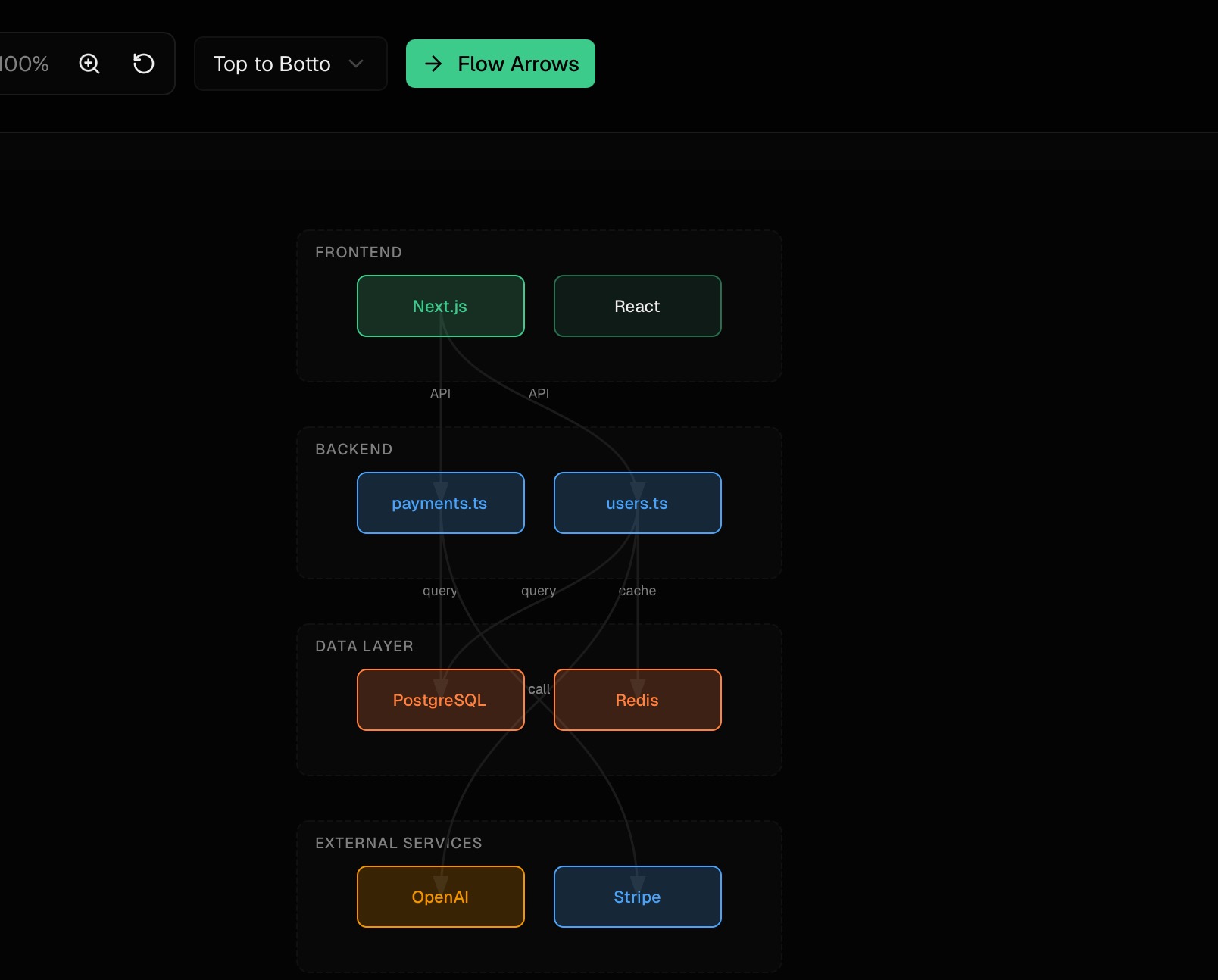
Architecture diagram with color-coded layers — Frontend (Next.js, React), Backend (payments.ts, users.ts), Data Layer (PostgreSQL, Redis), External Services (OpenAI, Stripe) — connected by labeled flow arrows ::border

Diagrams group components by layer with color-coded categories, showing API → Database → Cache flows with labeled connection types. File-level diagrams show import relationships. Output is Mermaid, JSON, or CSV.

Components table showing packages with type, layer, version, and connection counts

Technical Decisions

No execution, ever. Both scan phases are static analysis. Runtime crashes in the target app do not break NavGator. This is also what lets it run in CI on PR branches that haven’t been built.

Optional ts-morph for TypeScript. AST scanning catches dynamic imports, computed property access, and reflection-based calls that pattern matching misses. Roughly 50% accuracy gain at ~3x the scan time. Heavy-metaprogramming projects benefit most; thin projects do not need it.

Adjacency-list graph. A Map<string, Set<string>> representation keeps a 1,000-file / 5,000-connection project under ~2MB. A dense matrix would burn 1M cells on a sparse graph.

Parallel workers. Default 4 worker threads partition the file set, build partial graphs, and merge. Scales to 10,000+ files without memory pressure.

Boundaries. NavGator annotates the graph with runtime identity extracted from code and config. It does not poll, scrape, or hit live infra. That keeps the tool deterministic, offline-capable, and safe to run anywhere.